 UnSpoil
Your monthly money playbook—honest safe-to-spend, no bank login.
UnSpoil is for people who want structure without linking accounts or ads. Plan buckets, log expenses manually, track goals and lending, and see what is actually left to spend after salary lands. NPR and Nepal are first-class; pick any currency in Settings.
No account · No cloud sync · Data stays on device
Safe to spend
42,500
Example · your currency
Built for clarity
Structure that matches how you actually get paid and spend.
Manual entry on purpose—you stay in control. The app does the arithmetic: ceilings, safe-to-spend, EF targets, and goal progress from the playbook you set once and tweak in Settings.
Playbook-first
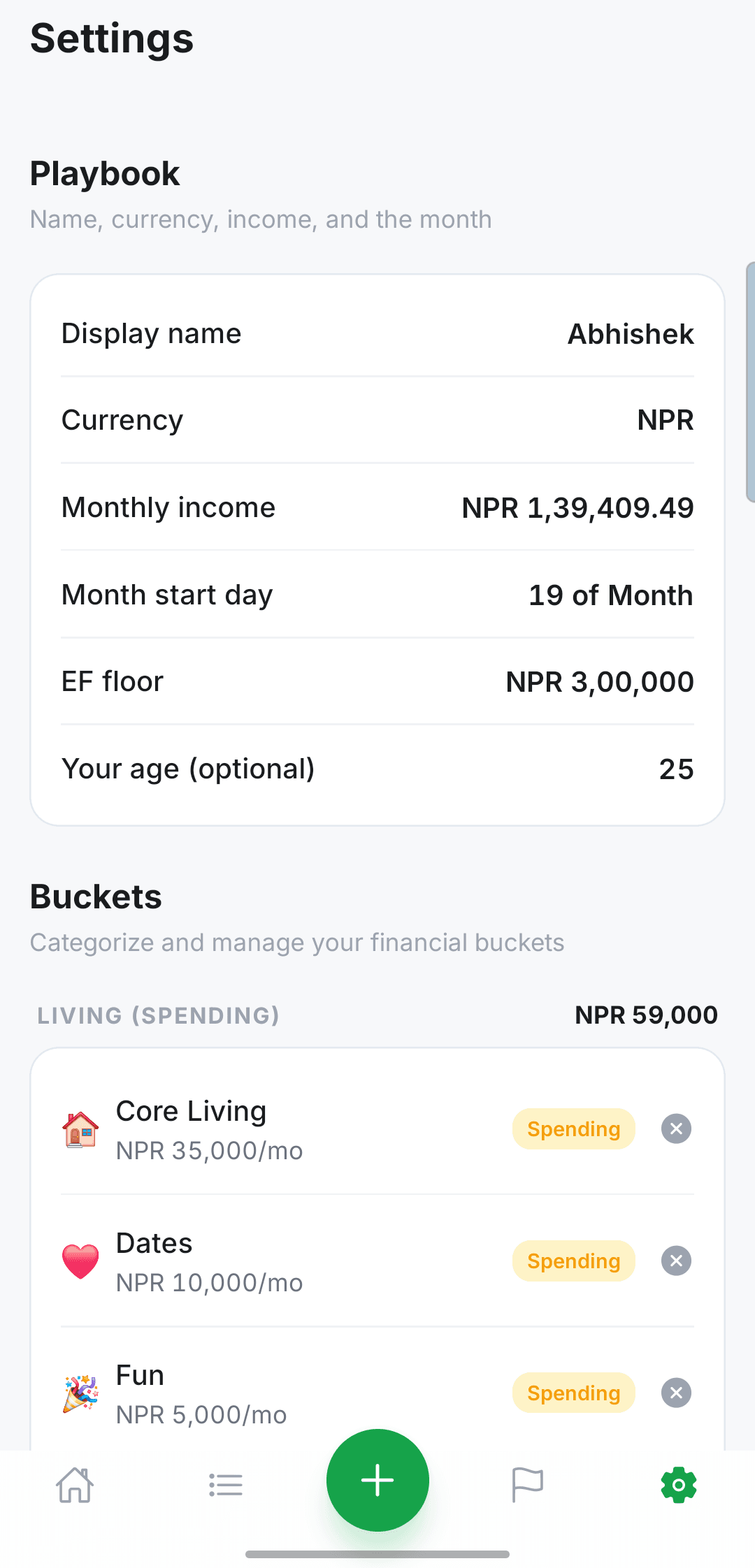
Split take-home pay across buckets you define—Core Living, Personal, emergency fund, SIP, goals, and more. Your plan drives the app, not the other way around.
Safe to spend
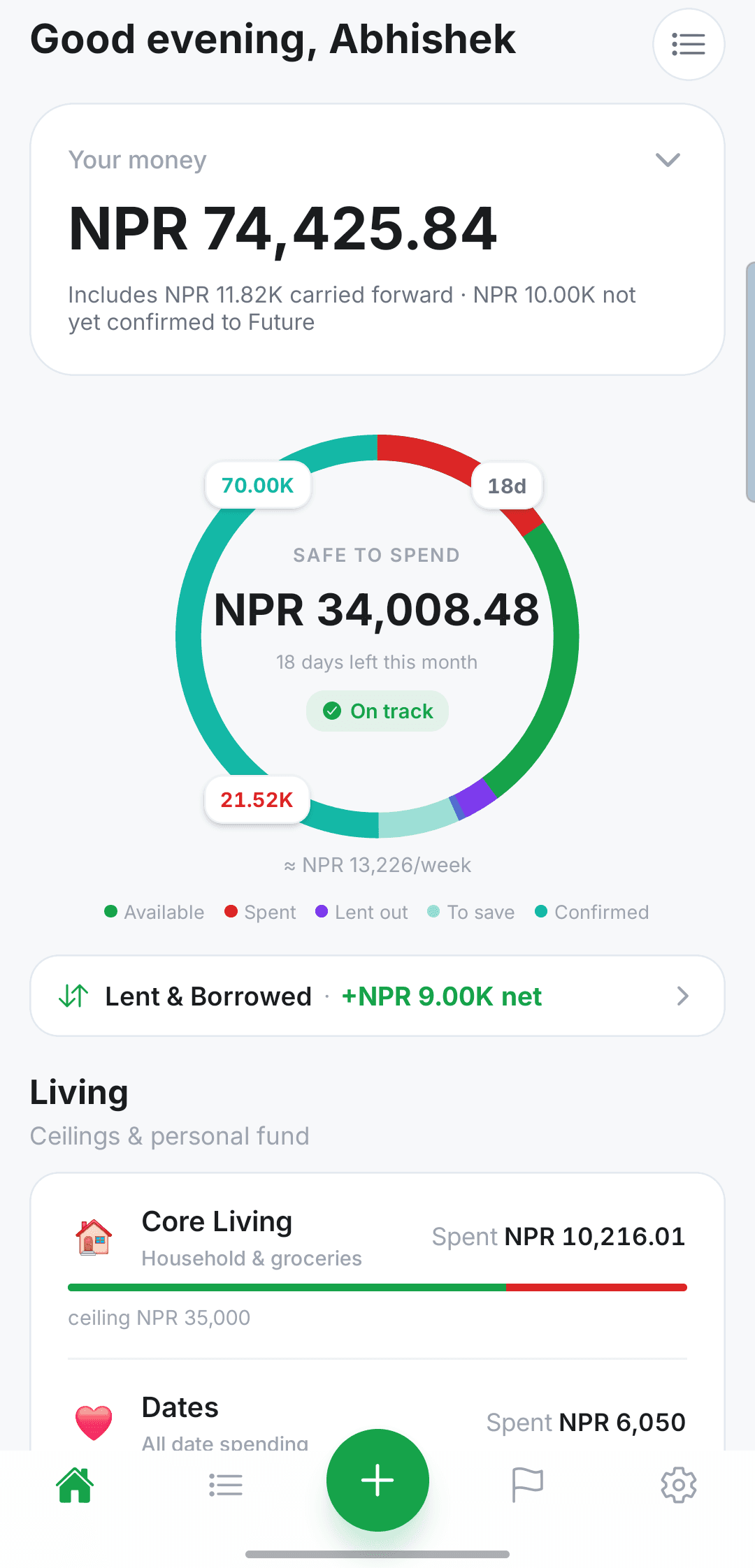
Once salary is confirmed this month, Home shows one clear number: what you can spend without breaking the plan. No mental math at the checkout.
Your money, your wallets
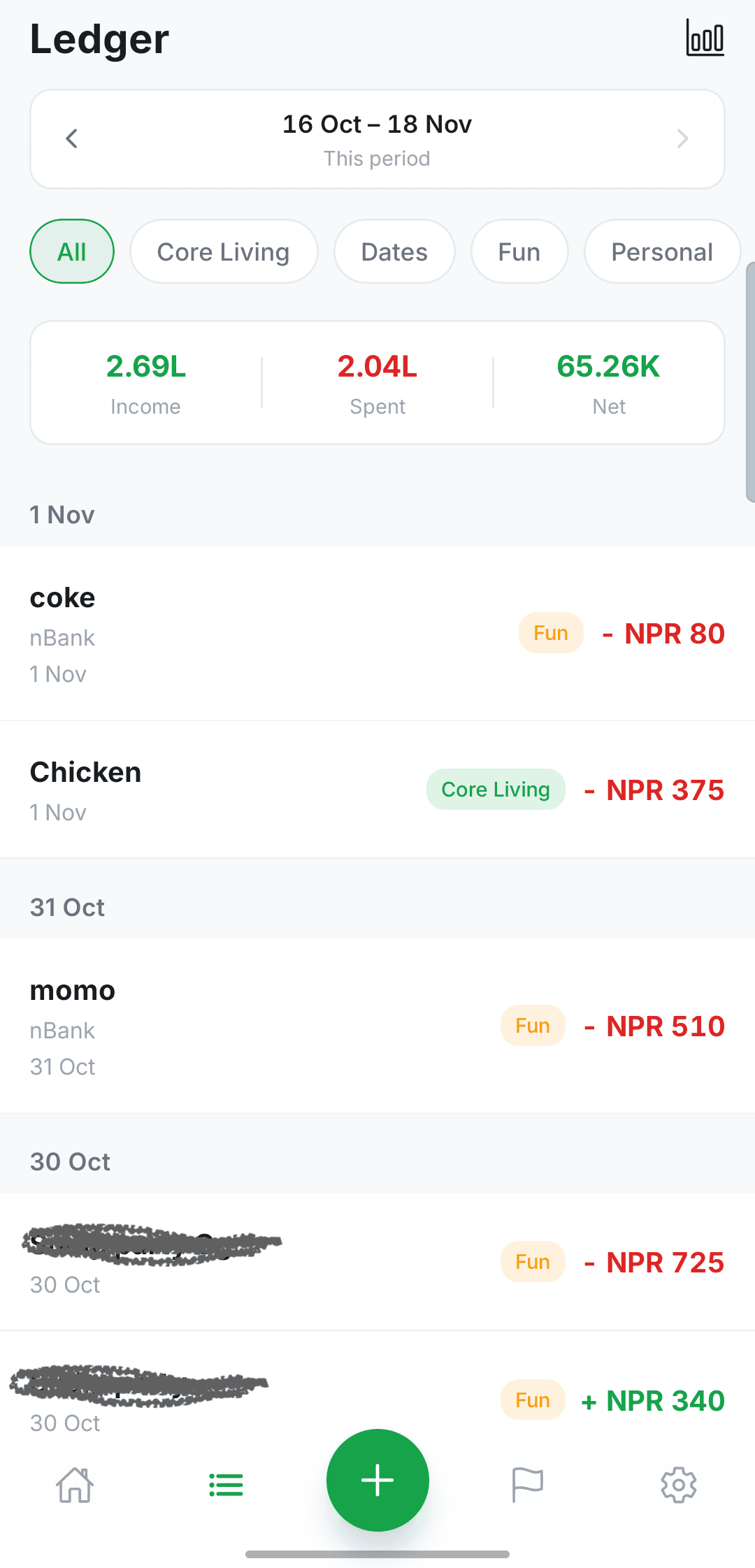
Bank balance plus wallets you name (Cash, eSewa, whatever you use). Transactions always know where money moved.
Living & Future
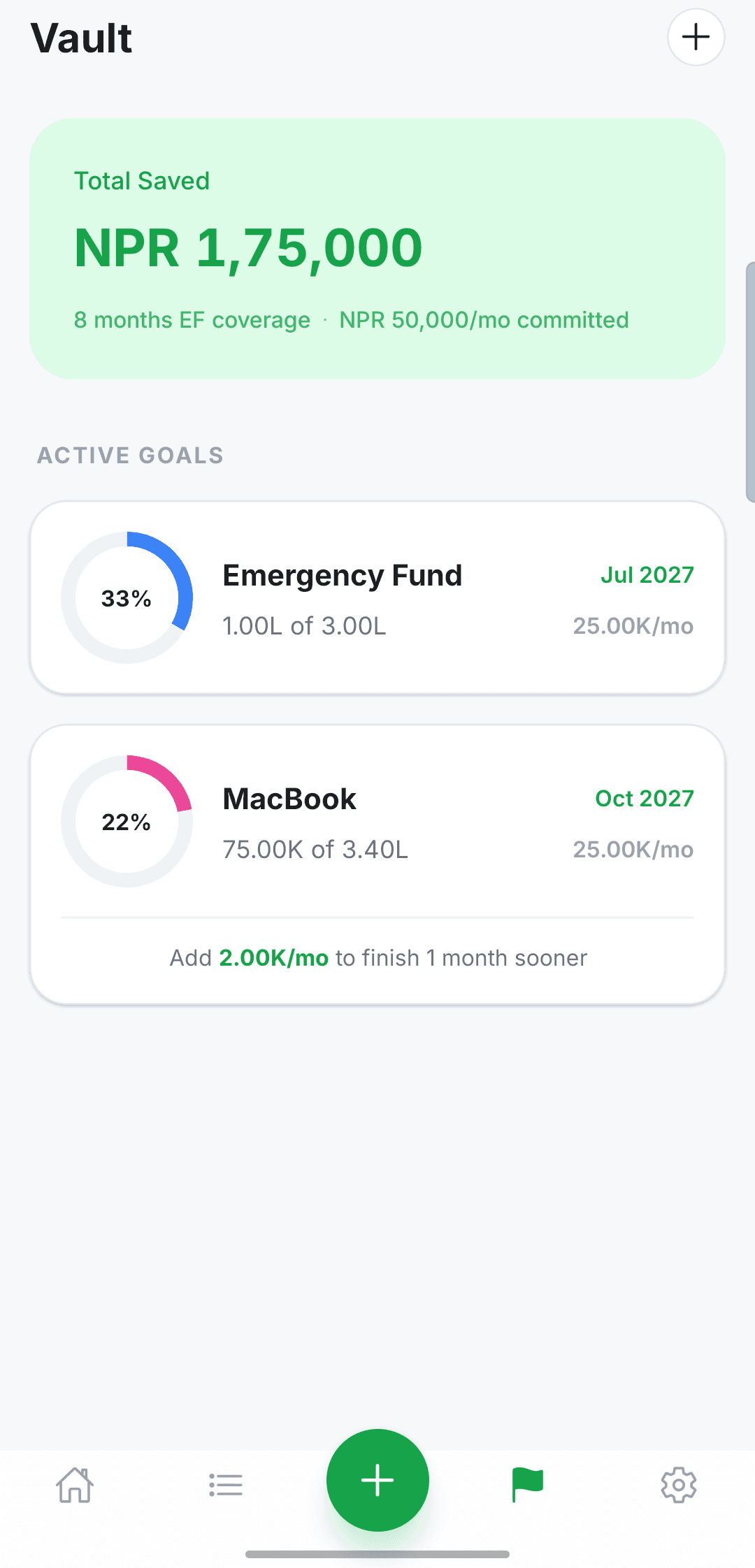
Spending ceilings with green / amber / red bars. Future rows for EF, SIP, and goals—with check-offs that feel like a monthly rhythm.
Lent & borrowed
Person ledger with settle-up, kept separate from bucket spend so lending never distorts your budget bars.
Local-first privacy
No sign-in, no cloud sync, no ads. SQLite on your phone. Backups and exports only when you tap them.
Month rhythm
Salary in, plan unlocked, checklist done.
The month starts on the day you choose, not on the calendar. A center + button logs an expense, income, or lend/borrow. Play lists it as manual finance, not open banking.
- 01Salary in
Confirm income when it hits, or early if pay arrives before your month start.
- 02Plan unlocked
The ring and safe-to-spend open for that period. The number is what’s left after the playbook.
- 03Checklist done
EF, SIP, and savings get a nudge, then you live inside Living ceilings until the next cycle.
Screenshots
Light, calm, numbers-first.
The phone stays light. Green means the plan is healthy. Amber and red show up when a ceiling is close.
Optional power-ups
You choose what to enable.
Payment helper
Optional. Pick apps like eSewa or nBank; get a prompt to log amounts while you pay. Usage + notification access only—no screenshots or accessibility scraping.
Backups & export
JSON backup for a new phone, optional nightly auto-backup on device (last 3 files), CSV for spreadsheets, or a markdown snapshot when you want outside help.
Gentle nudges
On-device reminders for budget and savings—at most one per day, quiet hours overnight. No server push.
Privacy
Your financial data never needs our servers.
UnSpoil is published by Abhishek Bhattarai. The privacy policy explains on-device storage, optional backups, and optional Android permissions for the payment helper and nudges.